
Fire Register
A tabular list of incidents with search and pagination
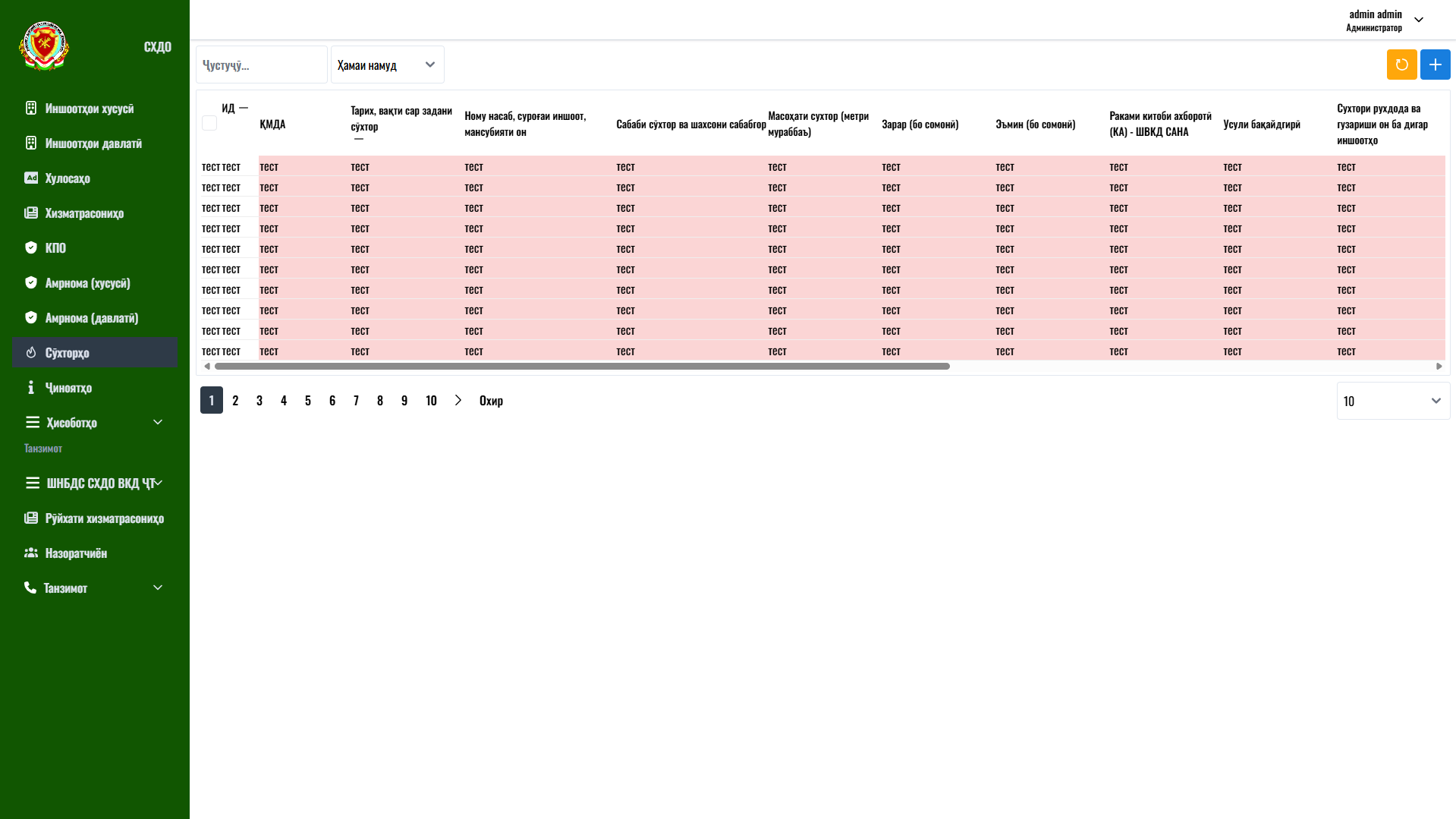
The fire register is a tabular view of all recorded incidents that gives the operator a complete overview of the data. The top area holds a search field, a record-type dropdown filter, a refresh button and a “+” button for adding a new record, which opens the fire registration form.
The main area is a wide table with columns: ID, “KMDA”, the fire start date and time, the facility name and address with its affiliation, the fire cause and responsible parties, the fire area (sq. m), the damage and the saved property (in somoni), the information-book number, the registration method and details of the fire's spread. Horizontal scrolling provides access to all fields, while checkboxes in the first column let the user select records for bulk operations.
At the bottom of the table is pagination with page numbers, buttons to move to the next and last page, and a selector for the number of rows per page.
User journey: an operator searches for the required incident by keywords or filter, reviews the indicators in the table, opens a record for editing or adds a new one with the “+” button.
Business value: a register with search, filters and pagination provides fast access to large volumes of data and convenient record keeping. This pattern is the foundation of any administrative system that works with lists of records.