
Account information
Enter the website address and contact phone at setup step three
Architecture and functionality of account information
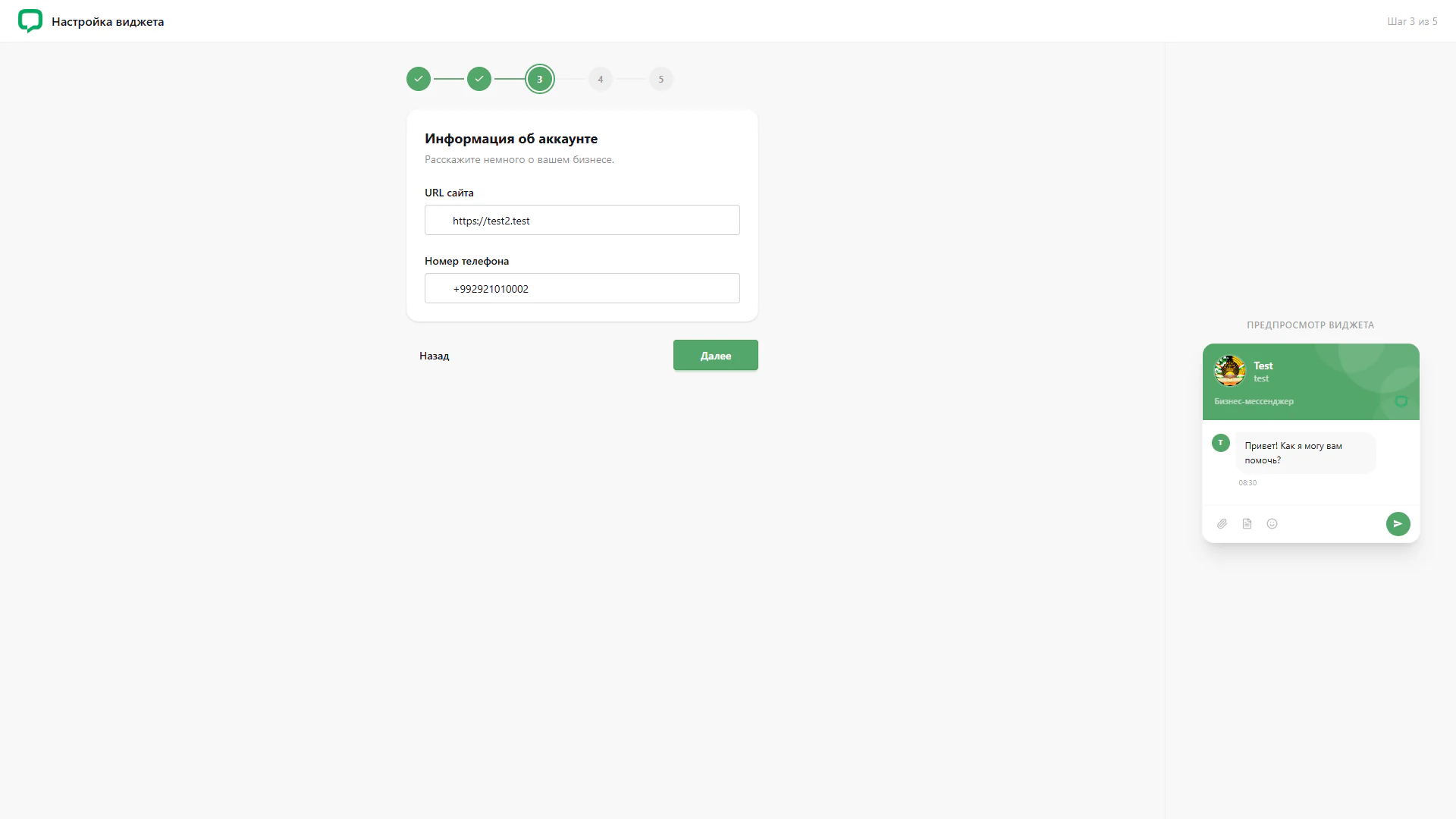
The third wizard step collects basic business details. A white card contains an Account information heading, a short explanation and two fields.
1. Website address
The Website URL field contains an address using HTTPS. Its label remains above the entered value. The screenshot uses a test address.
2. Contact phone
A phone number with an international prefix appears below. The website and phone fields form a compact form without additional sections. No validation or save result is displayed.
3. Widget context
The preview on the right retains the previously configured avatar, name, department and greeting. Business details are entered beside the configured chat.
4. Wizard navigation
The first two steps are marked complete, while the third has a green outline. Back and Next controls appear below the form.
This screen gives contact details their own brief stage. The preview and progress indicator maintain the connection to the wider widget setup.