
Business solution
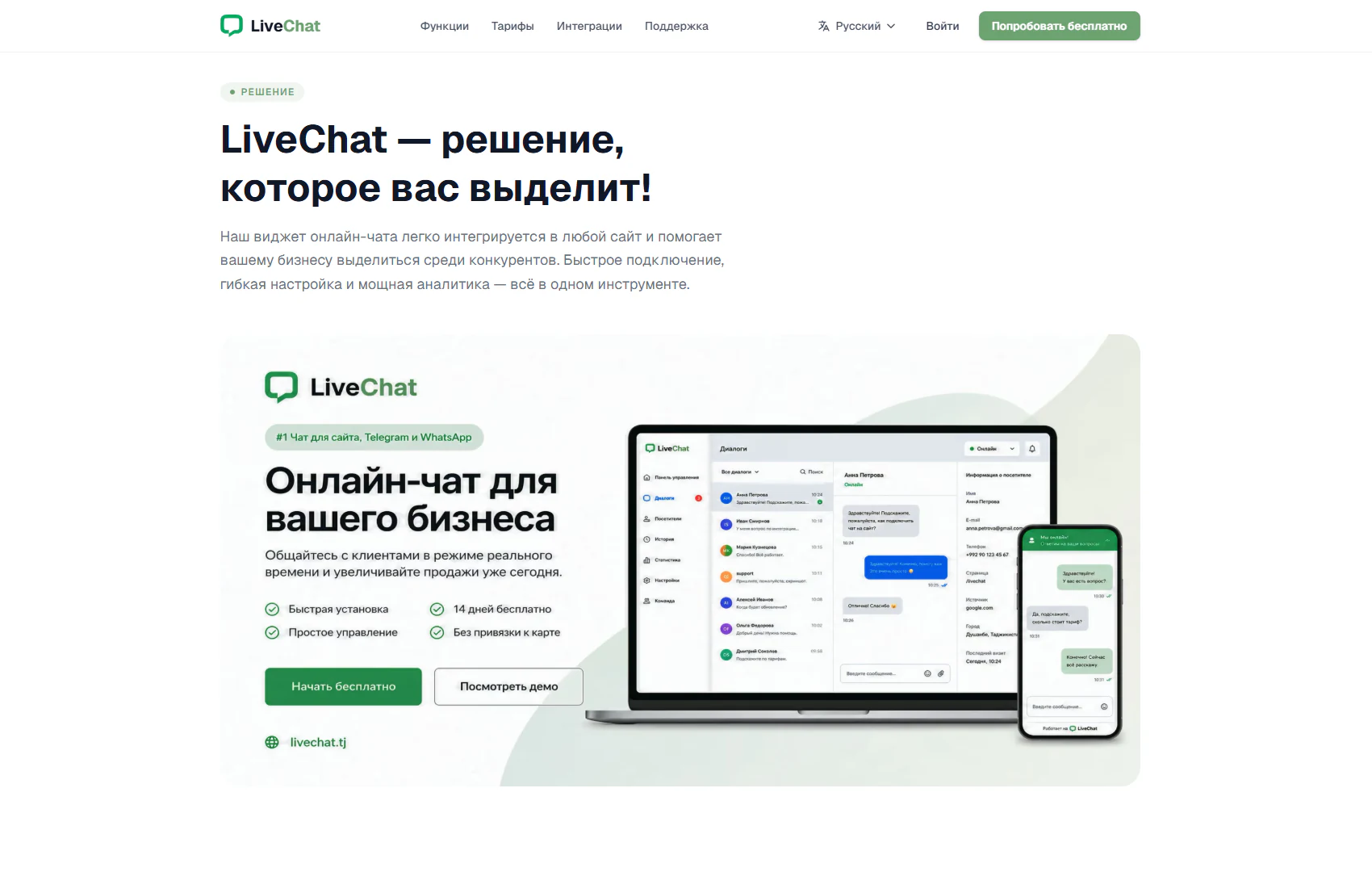
Service introduction, operator panel and mobile chat widget
Architecture and functionality of the Solution section
This section introduces LiveChat through a product description and a large presentation banner. The heading “LiveChat — a solution that sets you apart!” is followed by an explanation of website widget integration, flexible configuration and analytics. A light background and generous spacing separate the introduction from the interface showcase.
1. Product purpose and positioning
A Solution badge identifies the section, while a short paragraph outlines the service’s main capabilities. The text connects chat integration with customer communication and presents quick setup, configuration and analytics as parts of one tool.
2. Operator workspace preview
The right side of the banner shows a laptop displaying the conversations panel. The interface contains side navigation, an enquiry list, a messaging area and visitor information. This composition illustrates how an operator can view a conversation and its context within one workspace.
3. Mobile widget and setup benefits
A smartphone beside the laptop displays the customer chat window. The two devices represent both sides of the process: the employee’s workspace and the visitor’s conversation with the company. The left side lists quick setup, simple management, 14 days free and no card required, beneath a label mentioning website chat, Telegram and WhatsApp.
4. Getting-started prompts
The presentation image includes Start for free and View demo elements, together with the livechat.tj address. They introduce potential next steps after exploring the product. The landing page header retains navigation, sign-in and a Try for free button.
The section helps visitors relate the service’s offer to its appearance. Showing operator and customer interfaces clarifies the product’s purpose, while a concise benefits list supports further exploration or a free start.