
Account registration
Account creation through a form or Google with reCAPTCHA protection
Architecture and functionality of the registration page
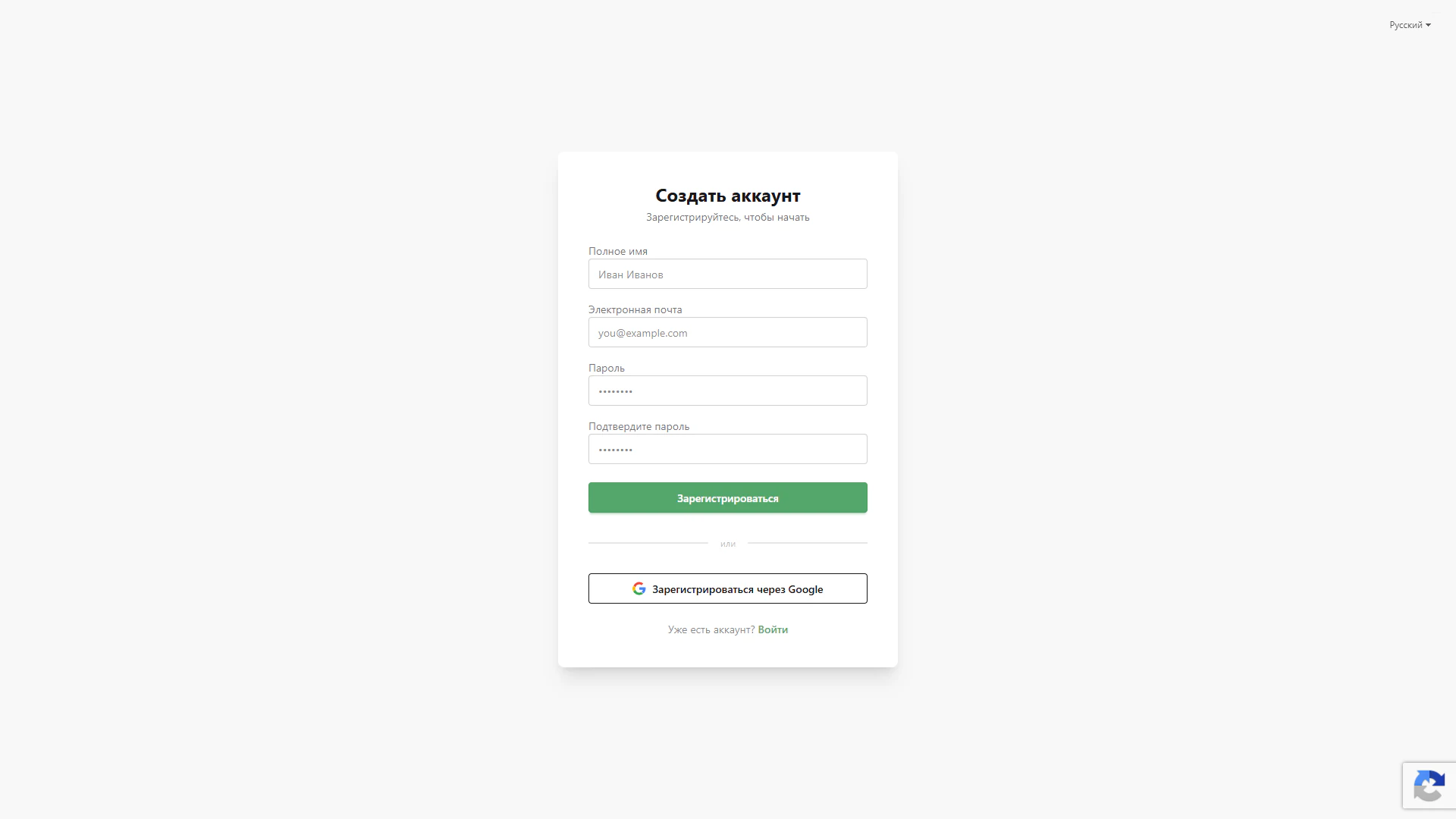
The Create account page introduces the LiveChat account journey. A white card with a soft shadow sits in the centre of a light screen. Its heading and “Register to get started” subtitle explain the form’s purpose, while surrounding space focuses attention on account creation.
1. Main registration form
Four labelled fields request a full name, email, password and password confirmation in sequence. Examples indicate the expected input format. Repeating the password lets users confirm their chosen combination before submitting the form. A green Register button highlights the primary action.
2. Google registration
A separate Register with Google button with the recognisable logo appears beneath an “or” divider. It offers an alternative account creation route using a Google account. The visual separation helps visitors choose a registration method before completing the form.
3. Sign-in link and language selection
The bottom of the card asks “Already have an account?” and provides a Sign in link for existing users. A language selector appears in the upper-right corner of the page, with Russian selected in the screenshot.
4. Form protection and user journey
A Google reCAPTCHA badge is visible in the lower-right corner, indicating protection against automated submissions. Users complete the form and select the primary button or choose Google. Both registration routes and the return to sign-in are brought together in one interface.
This composition makes getting started clear: fields follow a sequence, the alternative authentication method is visually separated and access to an existing account remains nearby.