
Account sign-in
Sign in with email and password or Google with reCAPTCHA protection
Architecture and functionality of the sign-in page
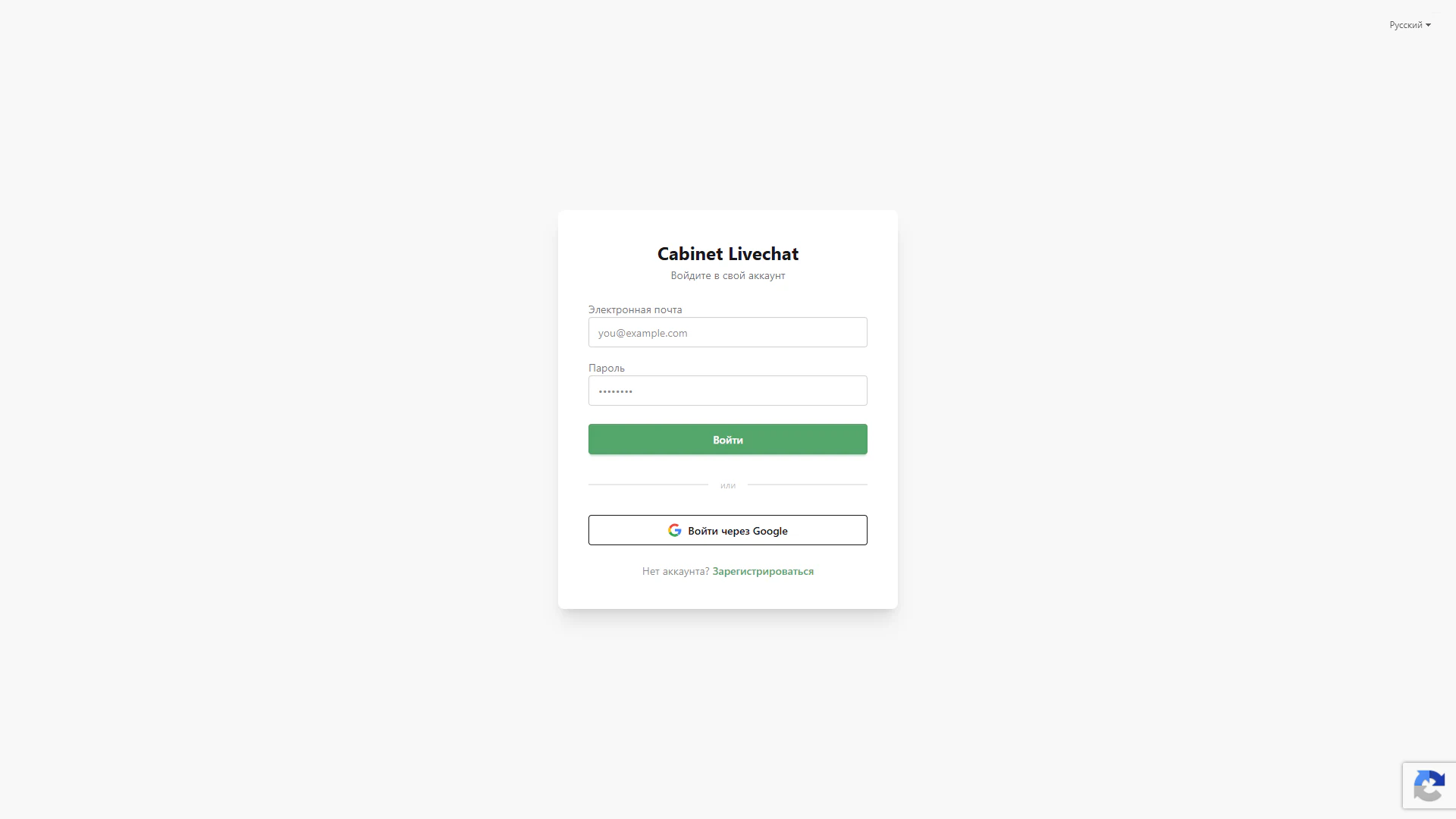
The sign-in page provides access to the LiveChat account. A white card with a soft shadow sits in the centre of a light screen. The “Cabinet Livechat” heading and “Sign in to your account” subtitle explain its purpose, while the surrounding space focuses attention on the form.
1. Email and password sign-in
The form contains two labelled fields for email and password. An example address indicates the expected input format, while password characters are masked. A green Sign in button spans the form’s width and highlights the primary action.
2. Google authentication
A Sign in with Google button with the service’s coloured logo appears beneath an “or” divider. It offers a Google account as an alternative sign-in method. Its outlined styling visually separates this option from the form’s primary button.
3. Registration and language selection
The bottom of the card asks “Don’t have an account?” and provides a Register link. New users can proceed to account creation directly from the sign-in page. A selector in the upper-right corner offers language selection; Russian is selected in the screenshot.
4. Protection against automated requests
A Google reCAPTCHA badge appears in the lower-right corner of the page, indicating the use of protection against automated requests. It sits outside the card, keeping the form compact and both authentication methods accessible.
The page brings together form-based sign-in, Google authentication and a registration link. The sequence of elements helps users quickly choose their preferred route into the account.