
Pricing
Comparing Start, Pro and Business plans for different team sizes
Architecture and functionality of the Pricing section
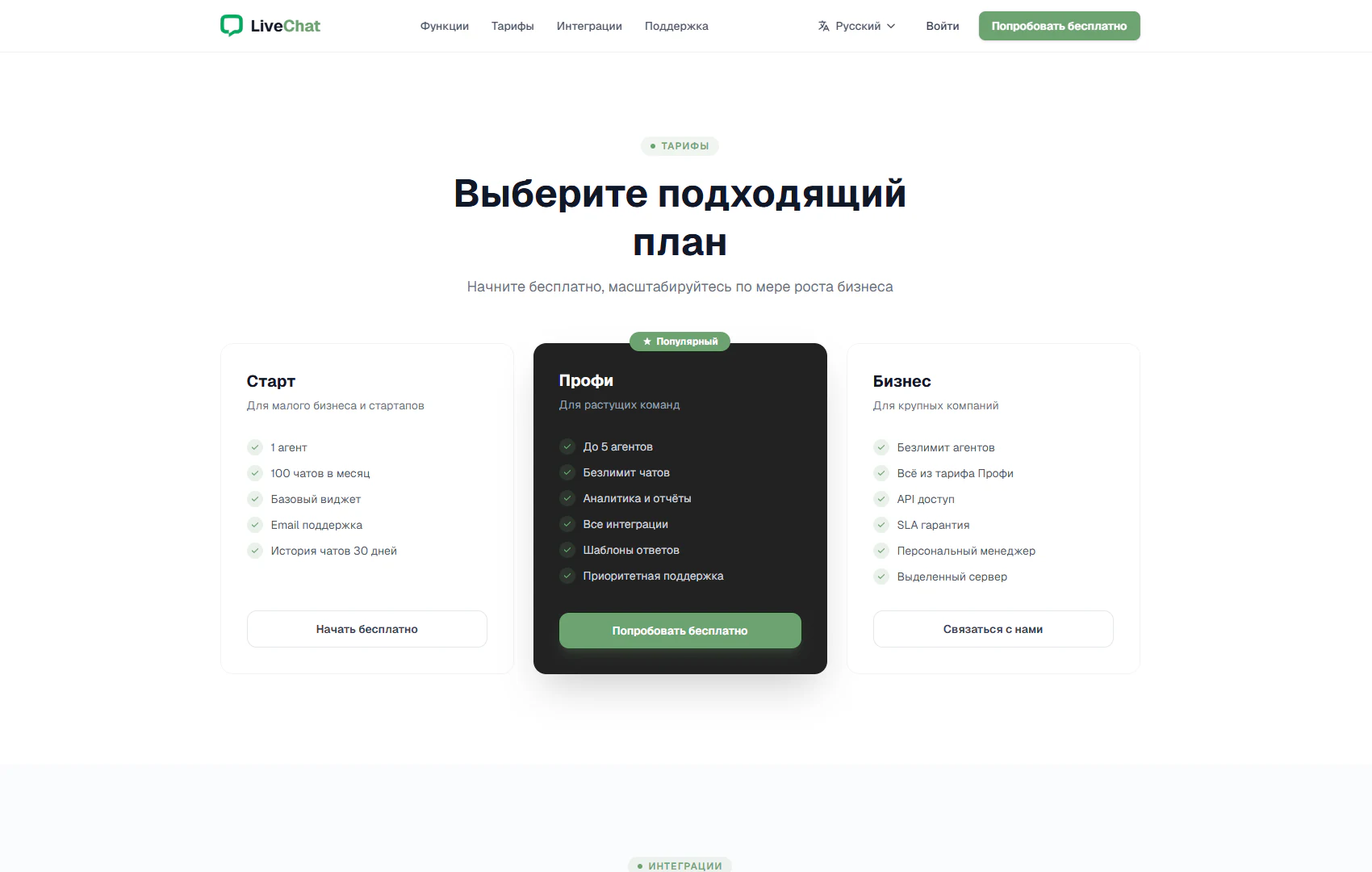
The section helps visitors match LiveChat capabilities to the scale of their business. A Pricing badge precedes “Choose the right plan” and an invitation to start for free and expand as the company grows. Three cards in a single row present Start, Pro and Business. The displayed screen compares features and limits; it does not show numerical prices.
1. Entry plan for small businesses
Start targets small companies and startups. Its list includes one agent, 100 chats per month, a basic widget, email support and 30 days of chat history. A Start for free button completes the card and provides a clear next step after reviewing the terms.
2. Highlighted plan for growing teams
The central Pro card stands out with a dark background, green button and Popular badge. It offers up to five agents, unlimited chats, analytics and reports, all integrations, reply templates and priority support. The contrasting presentation draws attention during comparison, while Try for free invites visitors to explore the service.
3. Extended options for larger companies
Business includes unlimited agents and the Pro features. Additional items list API access, an SLA guarantee, a personal manager and a dedicated server. A Contact us button introduces a separate journey: discussing requirements and onboarding terms with the service team.
4. Comparison and selection structure
The cards share a common structure: a name, target audience, feature list and an action at the bottom. Visitors can compare agent counts, chat volume and support tools in sequence. Light outer cards and an accented centre visually separate the options without complicating the page.
The section presents a path from a small volume of enquiries to teamwork and individual assistance. This format helps visitors choose their next step: start for free, try an expanded plan or discuss company onboarding.