
Why LiveChat and site footer
Closing feature overview, free start and footer navigation
Architecture and functionality of the LiveChat closing screen
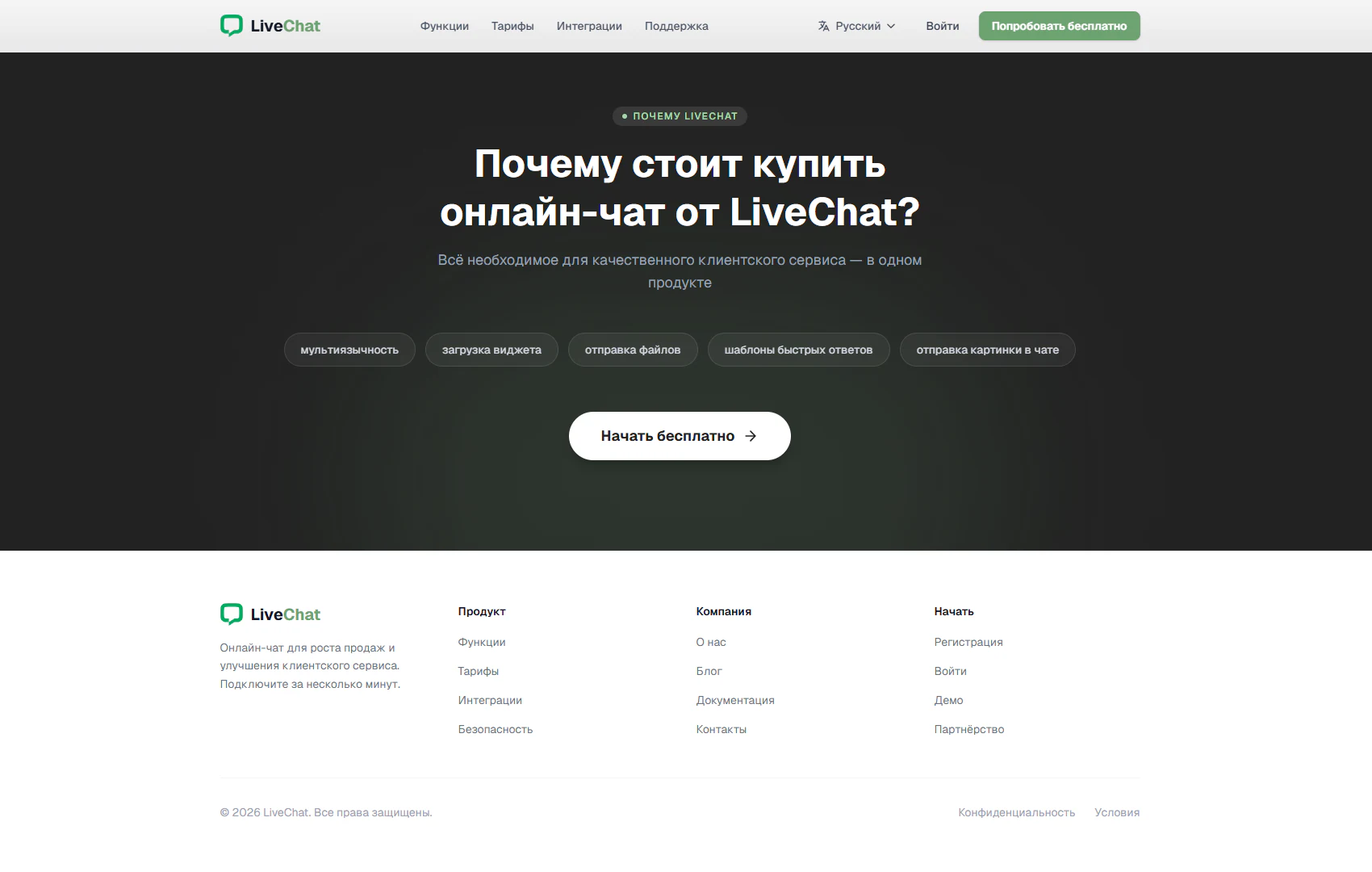
The screen combines the final Why LiveChat section with the site footer. Its upper area uses a dark background with a soft green glow, while the lower area places columns of links on a light surface. This contrast separates the invitation to get started from reference navigation and completes the product presentation.
1. Main offer and brief capability overview
A Why LiveChat badge introduces the heading “Why buy online chat from LiveChat?” and a statement about customer service capabilities in one product. Five compact badges below list multilingual support, widget loading, file sharing, quick reply templates and image sharing in chat. This format makes the capabilities easy to review at the end of the landing page.
2. Closing call to action
A white Start for free button with an arrow stands out against the dark background. Positioned directly beneath the capability list, it connects product exploration to a next action. Visitors reaching the page’s end can proceed towards a free start without returning to the first screen.
3. Footer navigation structure
The left column contains the LiveChat logo and a short description of chat for sales and customer service. Three adjacent columns group links: Product covers features, pricing, integrations and security; Company covers company information, the blog, documentation and contacts; Get started covers registration, sign-in, a demo and partnerships. This grouping helps visitors choose a section according to their purpose.
4. Reference links and page completion
A thin horizontal line separates the bottom copyright row from the main navigation. Privacy and Terms links sit on the right. Their placement keeps documents accessible in a familiar part of the page without distracting from the primary offer.
The screen supports two journeys: getting started or continuing to explore the service through topic links. A repeated call to action and an organised footer help visitors finish their introduction to LiveChat with a clear next step.