
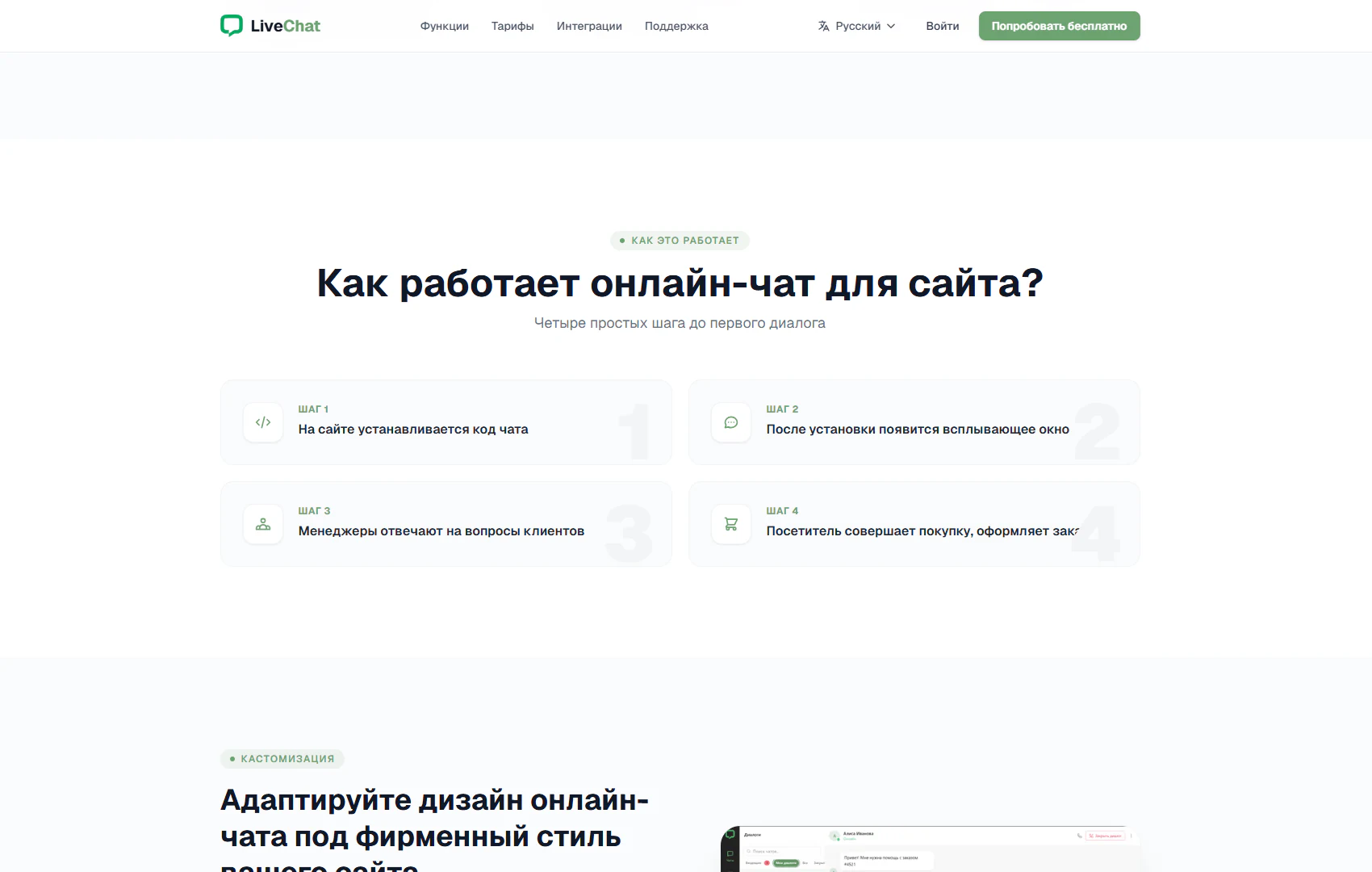
How it works
Four steps from chat installation to consultation and placing an order
Architecture and functionality of the How it works section
The section explains website chat through a sequence of four steps. A category badge sits above “How does online chat for a website work?”, followed by the subtitle “Four simple steps to your first conversation”. Four cards in two rows bring together installation, communication and the visitor’s intended action.
1. Installing the code
The first card introduces placing the chat code on a website. A code icon and Step 1 label make its purpose easy to identify. The concise wording explains the connection method without overloading this presentation section with technical instructions.
2. Displaying the chat window
The second step describes a pop-up window appearing after installation. A message icon connects the technical setup with a visible result for visitors: a way to contact the company directly on its website.
3. Replies from managers
The third card introduces the team’s role: managers answer customer questions. This step connects chat with consultation and highlights staff involvement in handling enquiries. A people icon visually distinguishes the team’s work from installation and widget display.
4. Purchase or order
The final card presents the visitor’s intended action, a purchase or an order. It completes the illustrated journey by connecting consultation with the customer’s next decision. Numbering, consistent cards and large pale background digits guide reading from left to right and top to bottom.
The customisation section begins below, introducing adaptation of the chat design to the website’s brand identity. This transition continues the product introduction: after learning the workflow, visitors can explore widget appearance. The section helps explain the route from installation to customer communication and the role of chat in the sales process.