

🇬🇧EN
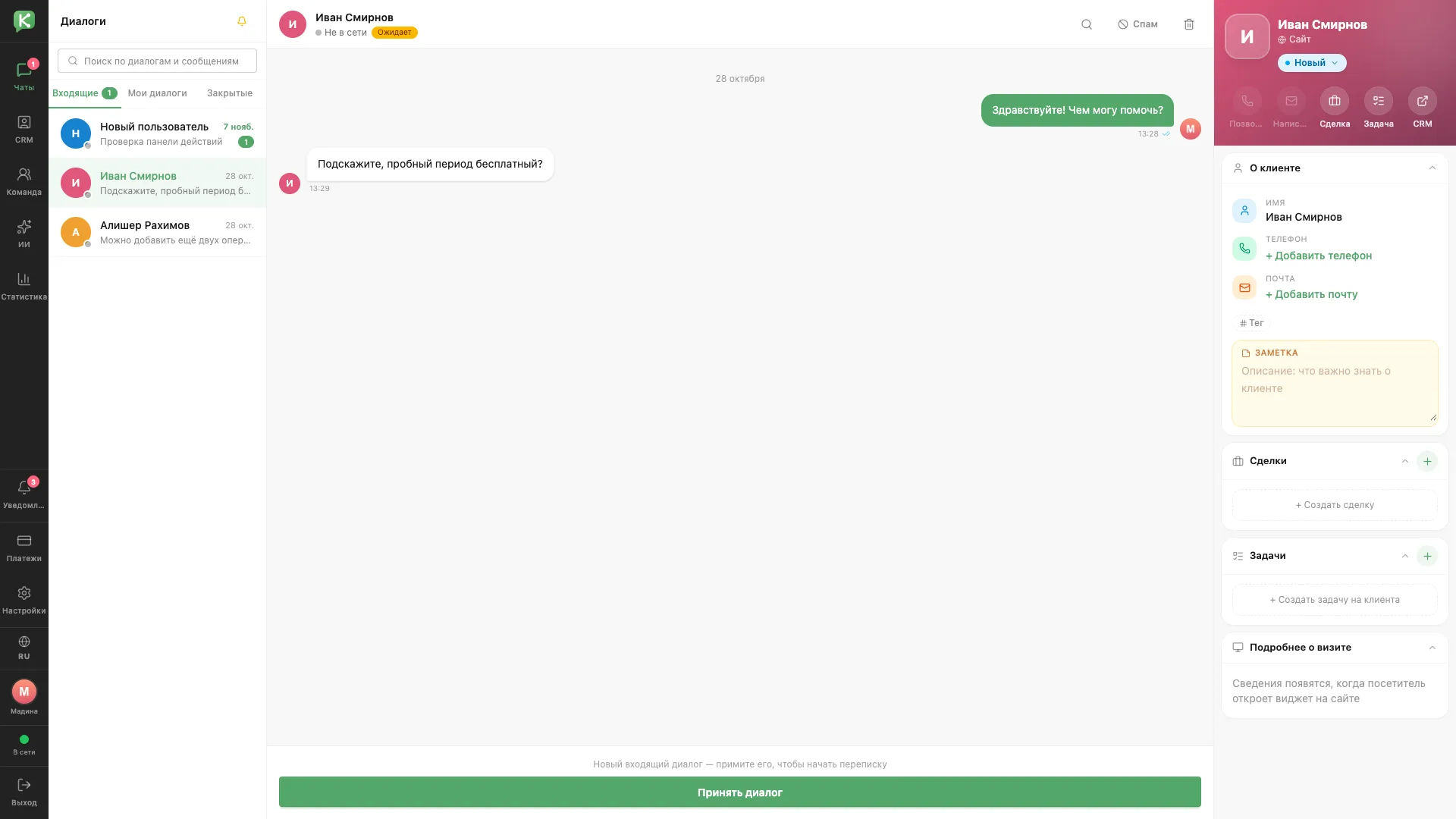
Incoming conversations
A new request in the Incoming tab with a button to accept the conversation.
Architecture and functionality: Incoming conversations
A new request in the Incoming tab with a button to accept the conversation.
1. Request queue
Incoming conversations are listed on the left with previews of the latest messages and dates. The selected one is with Ivan, who asks whether the trial period is free.
2. Accepting a chat
The Waiting status shows that the request has not yet been taken. A wide Accept conversation button at the bottom lets the operator start replying.
3. Client card
The right panel shows the name, the Website source and the New status. A phone number and email can be added directly from the panel, next to a note, deals and tasks.