

🇸🇦AR
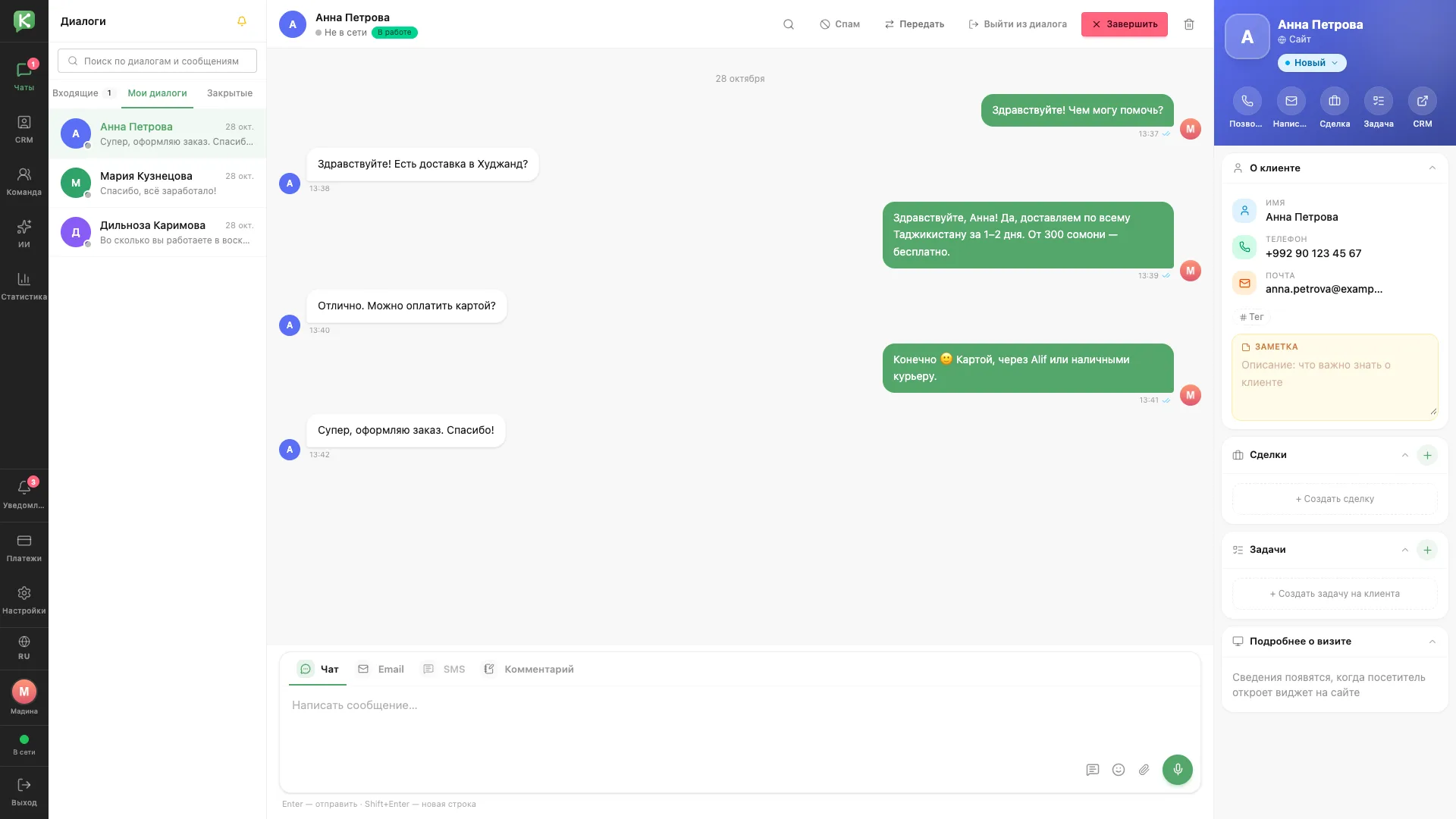
Active conversation
The operator workspace: the conversation, chat actions and the client card side by side.
Architecture and functionality: Active conversation
The operator workspace: the conversation, chat actions and the client card side by side.
1. Conversation
The My conversations tab shows a chat with Anna about delivery across Tajikistan and payment options. Above the thread are search, spam marking, transfer, leave conversation and close actions.
2. Reply channels
The composer switches between Chat, Email, SMS and Comment tabs. Emoji, attachment and voice message buttons sit alongside.
3. Client data
The right panel shows the client's phone, email, tag and note. Quick actions let the operator call, write, create a deal or task and open the CRM.