
🇬🇧EN
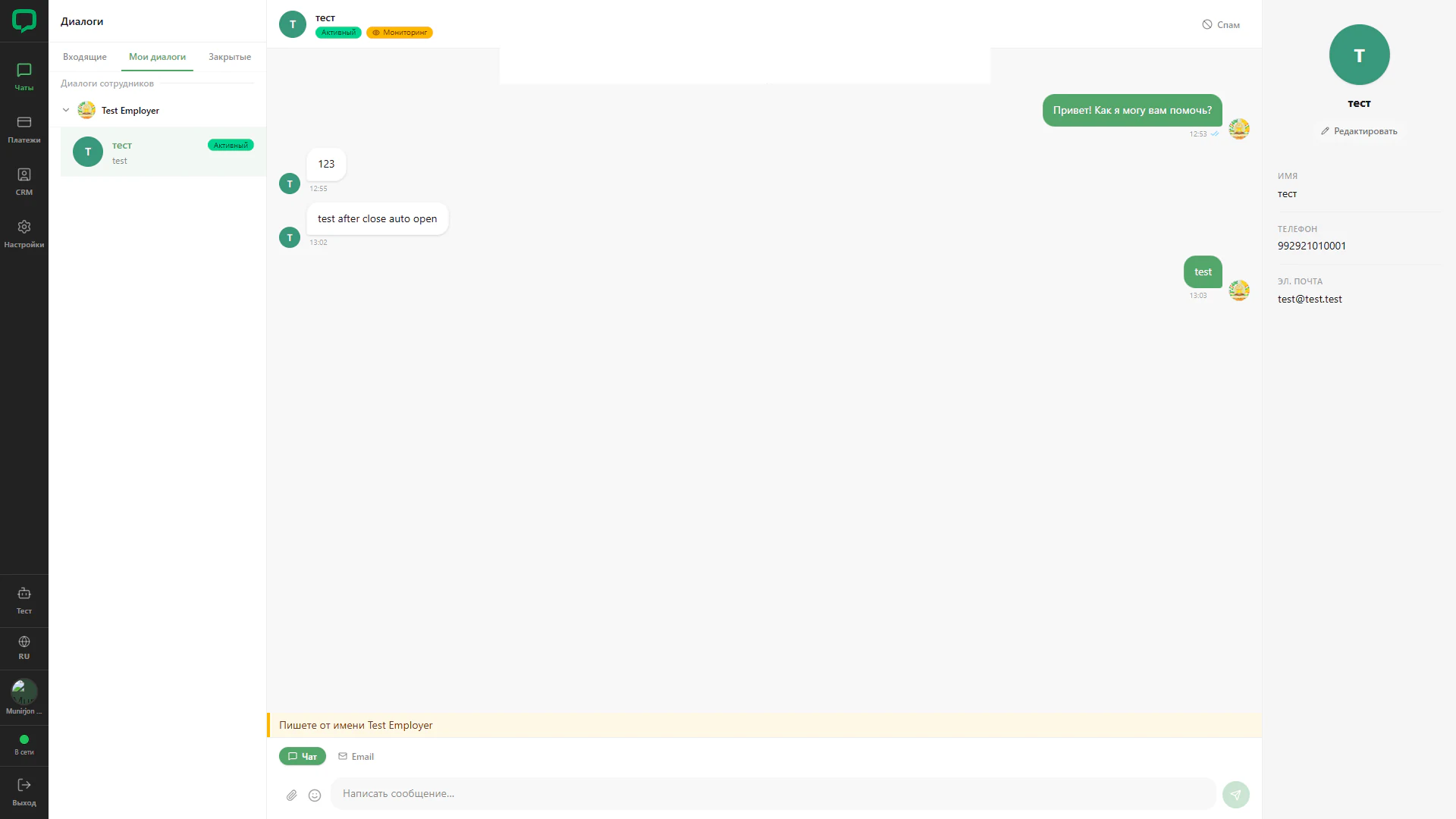
Monitoring an employee conversation
Viewing an employee’s active conversation from the owner account.
Architecture and functionality: Monitoring an employee conversation
Viewing an employee’s active conversation from the owner account.
1. Employee selection
The Test Employer group is expanded on the left with its active request selected. A yellow Monitoring badge appears beside the status in the header.
2. History and customer
The centre shows correspondence with the employee’s avatars. The right panel contains customer name, contacts and editing.
3. Reply identity
A yellow bar above the editor states that replies are written as Test Employer. Chat and Email modes remain available, making the intended sender explicit.