
🇬🇧EN
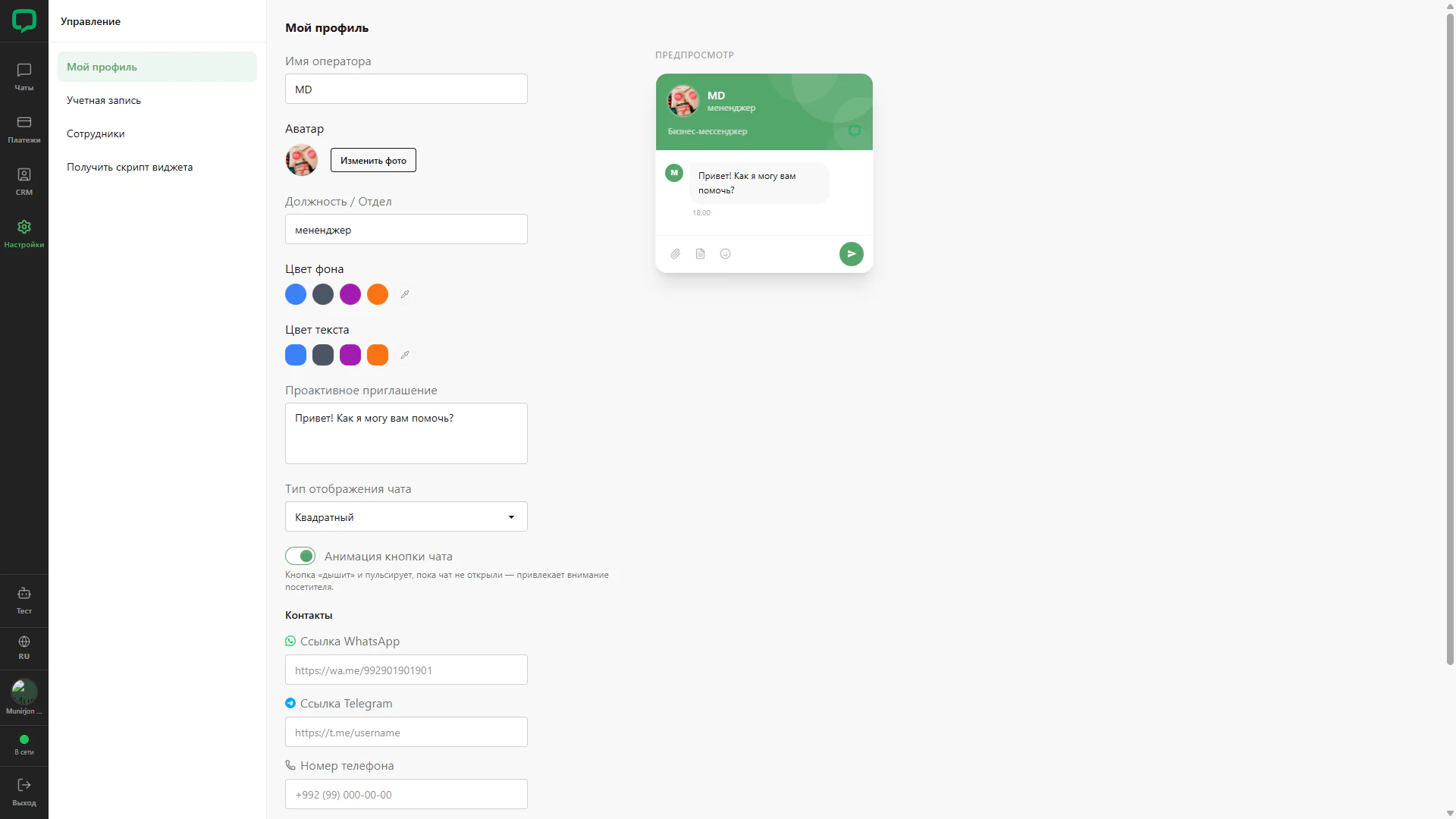
Profile and chat preview
Operator settings beside a square chat preview.
Architecture and functionality: Profile and chat preview
Operator settings beside a square chat preview.
1. Profile
The form contains operator name, avatar upload and position or department. The example uses MD and manager.
2. Appearance
Controls include background and text palettes, greeting, display type and enabled button animation. Contact fields begin below.
3. Preview
The right panel shows the avatar header, name, position, greeting and bottom chat controls. The mockup places settings alongside their visual context.